Front desks in most clinics run on tight margins of time. A missed call during lunch, a form left half-finished in the waiting room, an insurance card that never gets scanned, each one adds friction to a visit before it even starts.
Understanding how healthcare virtual assistants handle patient intake matters because intake is the first data checkpoint in the entire patient record. Get it wrong, and billing, scheduling, and clinical documentation inherit the error.
This piece walks through the actual tasks involved, where a virtual medical assistant fits, and where in-house judgment still has to stay in the room.
What Patient Intake Actually Involves Today
Patient intake is often treated as a single check-in step, but it is really a sequence of connected tasks spanning before, during, and after a visit.
Intake starts with collecting demographic and insurance details, often before the patient arrives. It continues through insurance verification, consent documentation, and entry into the EHR/EMR system.
It ends with a confirmed medical scheduling slot and a record ready for clinical staff. Bottlenecks usually form at the handoff points, a form sent but never returned, a call that goes to voicemail, or data typed twice into two systems.
Front-office teams juggling phones and walk-ins rarely catch every gap. That is the operational reality a healthcare virtual assistant is brought in to address, one defined task at a time.
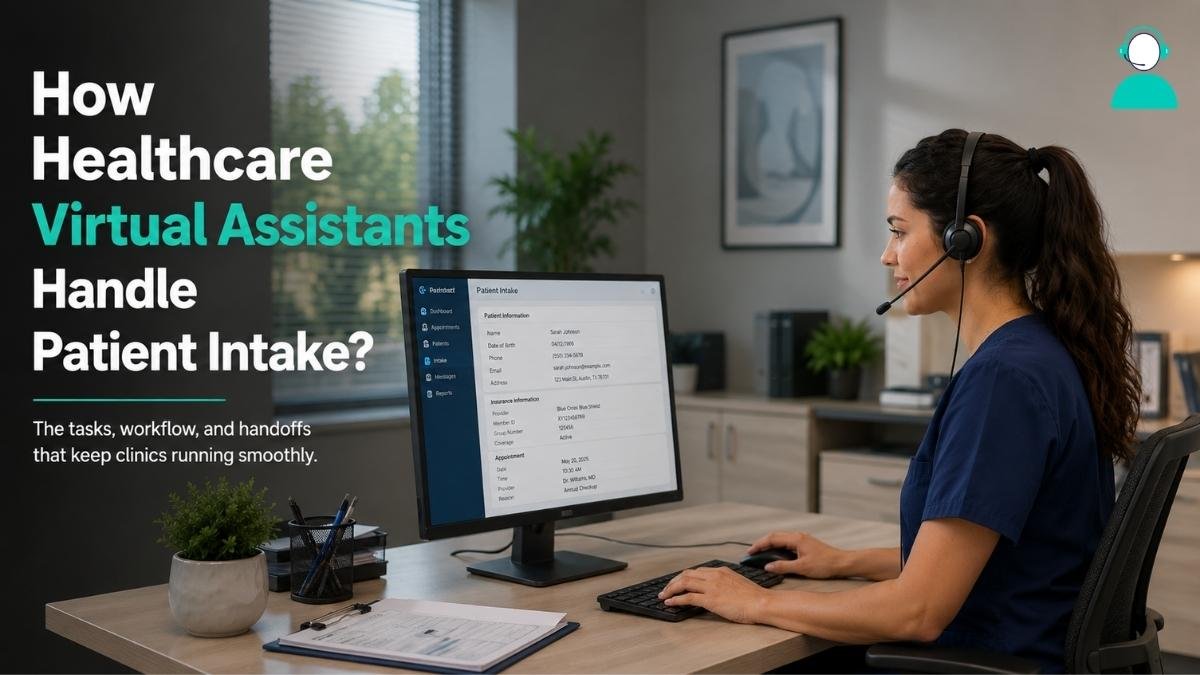
How Healthcare Virtual Assistants Handle Patient Intake
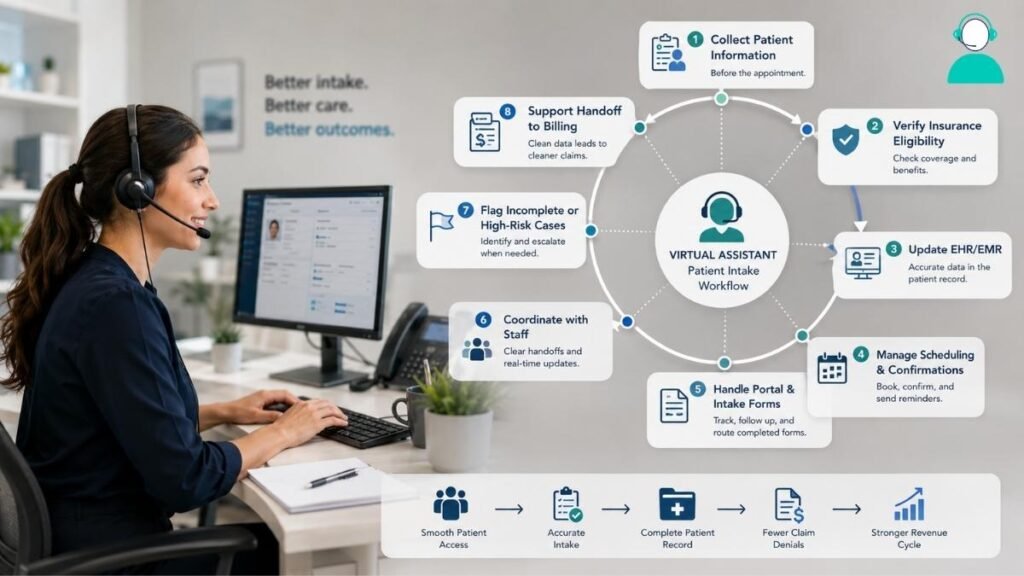
This section breaks down the specific tasks a medical virtual assistant performs typically during intake, and where each one connects to the next stage of the patient record.
1. Collecting Patient Information Before The Appointment
A virtual assistant typically reaches out ahead of the visit to confirm demographic details, reason for visit, and insurance information. This can happen by phone, secure email, or through a patient portal link sent in advance.
The goal is to reduce what has to be captured on the day of the appointment. Data collected this way is transmitted through encrypted channels approved under the practice’s compliance agreements, not through personal email or unsecured messaging apps.
2. Verifying Insurance Eligibility and Benefits
Eligibility checks confirm that a patient’s coverage is active and the visit type is included in their plan. A virtual medical assistant runs these checks through payer portals or insurance verification software before the appointment.
Straightforward cases get resolved directly. Complex ones, lapsed coverage, unclear benefits, prior authorization, get flagged to billing staff. Verification is a data task; interpreting ambiguous coverage still needs a trained biller.
3. Updating Electronic Health Records and EHR/EMR Systems
Once information is collected, it needs to land accurately inside the electronic health records system. A virtual assistant enters demographic updates, insurance changes, and intake form responses directly into the EHR/EMR, following role-based access limits set by the practice.
Access is typically scoped to administrative fields only, not clinical notes. This keeps data entry moving without expanding access beyond what the task actually requires.
4. Managing Medical Scheduling and Appointment Confirmations
Scheduling tasks include booking new appointments, sending reminders, and processing reschedule requests. A virtual assistant can manage calendar syncing across providers and confirm appointments by text, email, or phone.
When a patient needs to reschedule due to a conflict with provider availability, the assistant updates the calendar and notifies affected staff. This reduces the back-and-forth that otherwise falls to front-desk employees between other tasks.
5. Handling Patient Portal Communication and Intake Forms
Digital intake forms sent through a patient portal need to be tracked, not just sent. A virtual medical assistant monitors which forms are outstanding, sends follow-up reminders, and confirms once forms are complete before the visit.
Completed forms are then routed into the patient’s chart. Tracking this manually across dozens of daily appointments is where many front-desk teams lose time; a defined follow-up cadence closes that gap.
6. Coordinating With Front-Desk and Clinical Staff
Intake work does not happen in isolation from the rest of the clinic. A virtual assistant needs a clear handoff process, who gets notified when a form is incomplete, who confirms a same-day cancellation, and how urgent updates reach clinical staff.
Defining these handoff points in advance, rather than improvising them, is what keeps a remote intake process from creating confusion at the front desk.
7. Flagging Incomplete Or High-Risk Intake Cases
Not every intake case can be resolved administratively. A virtual assistant is trained to recognize when a case needs to move to a human, missing consent for a minor, a suspected duplicate patient record, or symptoms mentioned in an intake note that require clinical attention.
The task here is recognition and routing, not resolution. Clear escalation criteria, set during onboarding, keep this boundary consistent.
8. Supporting The Handoff Into Medical Billing
Clean intake data has a direct effect on downstream billing. Verified insurance details, accurate demographic entries, and complete consent forms reduce the number of claims that bounce back for correction.
Medical billing teams depend on intake being accurate the first time, since fixing errors after a claim is submitted costs more staff time than catching them upfront. This is where the intake process and the billing process meet directly.
“When your patient access operations run smoothly, you’re setting your downstream workflows and teams up for success,” notes Amy Raymond, SVP of revenue cycle operations at AKASA, on the connection between front-end data accuracy and claims outcomes.
| Any virtual assistant touching patient data must operate under a signed Business Associate Agreement before PHI access begins. This applies regardless of task scope, and it is a legal requirement, not a best practice. |
Common Mistake: Some practices delegate clinical judgment calls, such as triage decisions, to intake support instead of keeping that assigned to administrative data tasks. Intake support should collect and route information, not make clinical determinations.
Also Read: How CCM Virtual Assistants Help Patient Follow-Up?
Medical Virtual Assistant Vs. In-House Front-Desk Staff
Choosing between remote intake support and additional in-house staff depends on which tasks create the most friction and when that friction happens.
| Factor | Virtual Medical Assistant | In-House Front-Desk Staff |
| Coverage hours | Often extends into after-hours calls and follow-ups | Limited to clinic operating hours |
| Cost structure | Task- or hour-based, no benefits overhead | Salary plus benefits and payroll taxes |
| EHR access | Remote, permission-based, role-limited | On-site, typically broader local access |
| Best suited for | High-volume data entry, scheduling, verification | In-person patient interaction, walk-ins |
| Onboarding time | Often faster to start on defined tasks | Longer hiring and training cycle |
Neither option replaces the other outright. Medical practice management works best when administrative volume gets absorbed remotely while in-person interaction stays with on-site staff.
HIPAA Compliance And Data Security In Virtual Intake Workflows
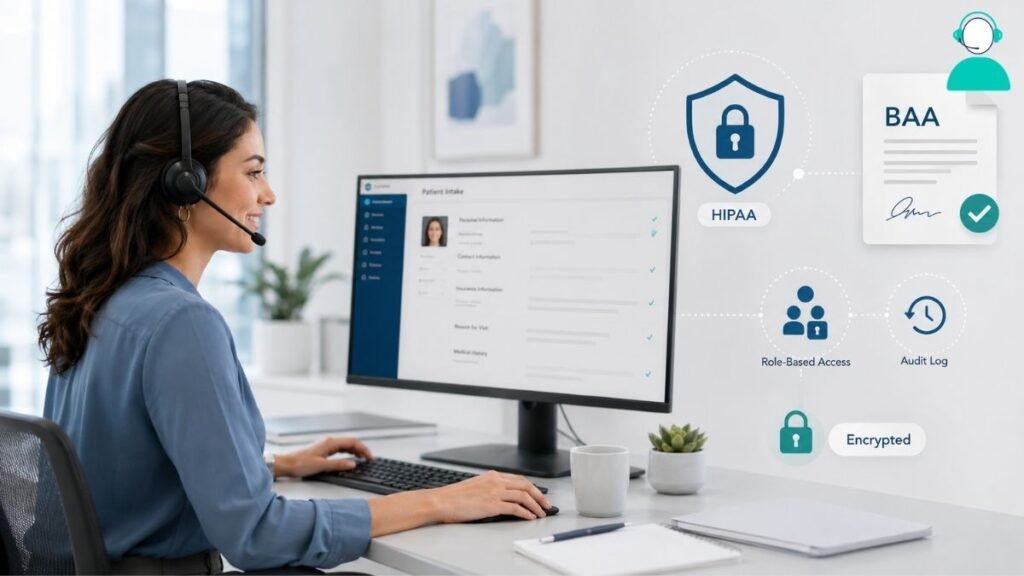
Compliance is the part of virtual intake that practice owners tend to research most carefully, and for good reason.
A HIPAA compliance agreement, formally a Business Associate Agreement, must be signed between the practice and the provider organization before any patient data is accessed.
According to HHS guidance, a business associate is any entity that creates, receives, maintains, or transmits protected health information on behalf of a covered entity, and this applies the moment intake, scheduling, or billing tasks involve identifiable data.
Practical safeguards include encrypted data transmission, role-based access controls, and audit logging that tracks who accessed which record and when.
The Minimum Necessary Standard also applies here, an assistant handling scheduling should not have open access to full clinical notes.
“Location does not change the obligation: if a virtual assistant touches PHI, HIPAA applies in full, whether they’re working from three miles away or three time zones away,” according to a 2026 industry guide on compliant virtual medical staffing.
How To Evaluate A Provider For Intake Support
Selecting a provider comes down to a short list of concrete criteria rather than general reassurances about compliance.
- EHR/EMR compatibility, confirm the assistant can work directly within your existing system rather than a workaround.
- Documented HIPAA and BAA terms, get the signed agreement before any data access, not after.
- Defined escalation paths, know in advance which cases get routed back to staff and how quickly.
- Reporting and visibility, request regular summaries of completed tasks and open items.
- A trial period, start with one task category, such as insurance verification, before expanding scope.
Operational Tip: A 30-day pilot limited to a single task category gives a practice measurable results before committing to a broader intake handoff.
Also Read: How Virtual Assistants Improve Patient Engagement?
Frequently Asked Questions (FAQs)
Can a virtual assistant access our EHR system directly?
Yes, typically through role-based permissions that limit access to administrative fields relevant to intake, scheduling, and verification tasks.
Do virtual medical assistants replace front-desk staff?
No. They typically absorb administrative volume, data entry, verification, scheduling, while in-person interaction stays with on-site staff.
How is patient data kept secure during virtual intake?
Through encrypted transmission, a signed Business Associate Agreement, role-based access controls, and audit logging tied to the practice’s compliance policies.
What intake tasks should stay with in-house staff?
Clinical judgment calls, triage decisions, and any situation flagged as high-risk during intake should route to a trained staff member.
How long does it take to onboard a healthcare virtual assistant?
Timelines vary by provider, but most practices start with a limited task set within one to two weeks of signing a compliance agreement.
Final Thoughts
Patient intake works best when tasks are clearly scoped before any handoff begins. Delegating data collection, verification, and scheduling to a healthcare virtual assistant can reduce front-desk backlog without touching clinical decision-making.
Compliance agreements need to be in place first, not retrofitted later. Practices that start with one defined task category, confirm BAA coverage, and review results before expanding tend to see the clearest operational gains.
The practical takeaway: scope narrowly, verify compliance in writing, and measure before scaling.
References
HHS.gov, Business Associate Contracts
HIPAA Journal, HIPAA Business Associate Agreement Guide
https://www.hipaajournal.com/hipaa-business-associate-agreement/
Experian Health, State of Claims 2025: The Denial Problem
https://www.experian.com/blogs/healthcare/state-of-claims-2025/
RevCycleIntelligence, Patient Access, Registration Errors Lead to Most Claim Denials
https://revcycleintelligence.com/news/patient-access-registration-errors-lead-to-most-claim-denials