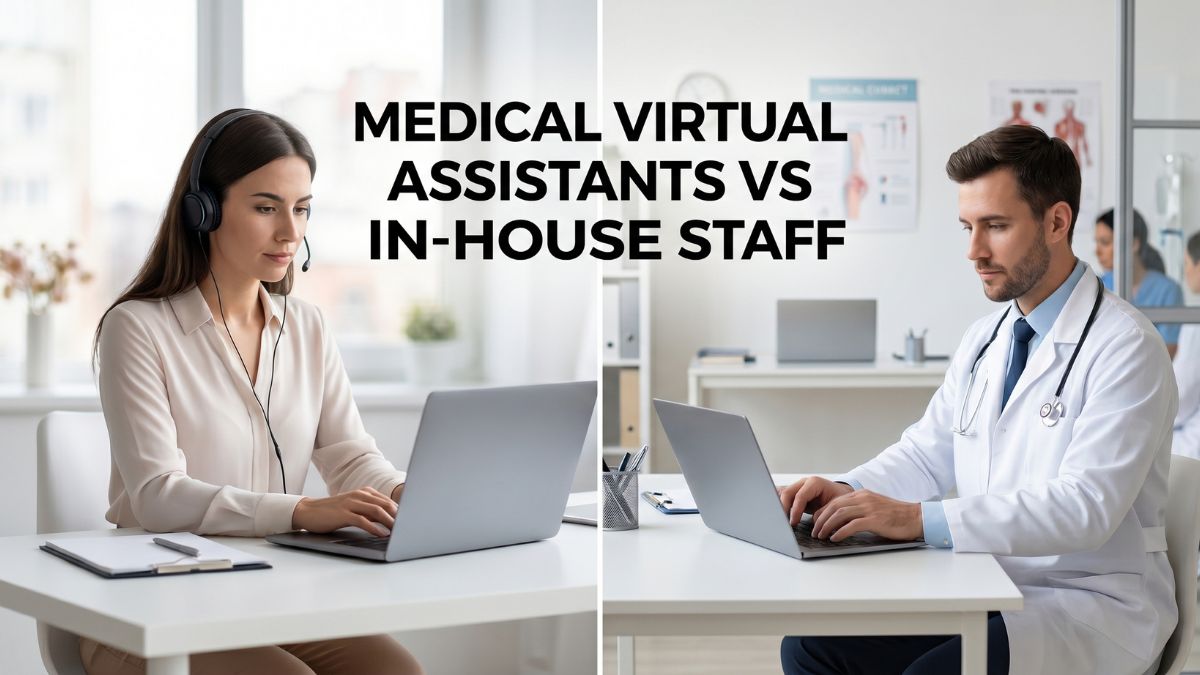
Most clinic administrators face the same decision at some point: keep building the in-house team or shift some functions to a medical virtual assistant.
The pressure usually comes from two directions, rising labor costs and an administrative workload that never shrinks. Front desk staff get overwhelmed.
Without a healthcare virtual assistant, physicians spend hours on documentation instead of patients. Hiring cycles take weeks, and turnover resets the process.
This guide breaks down the real operational differences between medical virtual assistants vs. in-house staff, covering costs, compliance, workflow fit, and when each model actually makes sense.
What Is A Medical Virtual Assistant?
A virtual medical assistant (VMA) is a trained remote professional who handles administrative and clinical support for healthcare practices. The role is healthcare-specific, not a general admin function repurposed for a clinic.
Common Tasks Medical Virtual Assistants Handle
VMAs manage appointment scheduling, insurance verification, prior authorizations, medical billing, EHR data entry, remote scribing, and patient follow-up calls.
These are not entry-level admin tasks. Each function requires familiarity with healthcare terminology, payer workflows, and documentation standards.
A VMA without that background introduces errors that affect revenue and compliance. The scope assigned to any VMA should match their verified training and experience level, not just their availability or hourly rate.
Medical VAs Vs. General Virtual Assistants
The distinction matters operationally. A general VA manages administrative tasks but has no grounding in healthcare workflows.
A medical VA understands HIPAA requirements, operates within EHR platforms, recognizes insurance terminology, and communicates with patients in a clinical context.
Assigning a general VA to prior authorizations or billing follow-up creates real compliance and accuracy exposure. The role requires domain knowledge.
Practices that overlook this difference often find themselves correcting errors that cost more than the hiring shortcut saved.
What Counts As In-House Medical Staff?
In-house staff are employees physically present in the clinic or practice on a scheduled basis. They hold defined roles tied to on-site operations, patient flow, and direct provider support.
These roles include front desk receptionists, medical billing specialists, administrative coordinators, and clinical medical assistants. Each has responsibilities embedded in the physical environment, patient check-in, records handling, rooming patients, real-time coordination with providers.
Their presence anchors the operational rhythm of a clinic day. They respond to what happens in the room, not just what appears in a task queue.
Medical Virtual Assistants Vs. In-House Staff: Quick Comparison
Before examining individual factors in detail, a side-by-side view helps clarify where each model holds a clear advantage and where the differences are more context-dependent.
| Factor | Medical Virtual Assistant | In-House Staff |
| Annual Cost | $18,000–$30,000 | $50,000–$70,000 (fully loaded) |
| Availability | Extended/after-hours possible | Standard business hours |
| Scalability | High – add or reduce hours easily | Limited by hiring and space |
| HIPAA Compliance | Vendor-dependent; must verify | Managed internally |
| Office Space Needed | None | Yes |
| Patient Interaction | Remote/phone/portal | In-person and remote |
| Onboarding Time | 1–3 weeks | 4–8 weeks average |
| Turnover Risk | Lower | Higher in admin roles |
| Flexibility | High | Moderate |
| Specialty Support | Varies by VMA training | Varies by hire |
Cost Comparison: Which Option Saves More Money?

Salary is the first number most administrators look at, but it rarely reflects the full cost of either model. Both carry direct and indirect expenses that change the comparison significantly.
In-House Staff Costs
The base salary for a medical administrative assistant runs $39,000–$45,000 per year, according to the U.S. Bureau of Labor Statistics. That figure excludes total employment cost.
BLS Employer Costs for Employee Compensation data shows private industry employers spent an average of $13.68 per hour on benefits alone in September 2025, roughly 42% above base wages.
Add office space, equipment, paid leave, and onboarding, and the actual annual cost per administrative hire reaches $50,000–$70,000.
Most practices do not track this figure explicitly, which makes the comparison to VMAs look closer than it actually is.
Medical Virtual Assistant Costs
VMAs typically cost $8–$15 per hour for offshore professionals and up to $40 per hour for U.S.-based assistants. Monthly retainer packages run $1,000–$3,000 depending on hours and task scope.
A full-time VMA providing equivalent administrative coverage costs $18,000–$30,000 annually, a difference of $30,000–$45,000 per position compared to a fully loaded in-house hire. No benefits, no equipment costs, no dedicated workspace required.
For practices managing multiple administrative roles, that savings compounds quickly across the staffing structure.
Hidden Costs Most Clinics Overlook
Turnover is rarely factored into staffing cost models. Administrative and support roles in healthcare carry turnover rates of 30–40%.
Each departure triggers recruiting, onboarding, and a productivity gap that can last weeks. Sick leave, coverage arrangements, and supervisory time spent on underperforming staff add further drag.
None of these appear on a salary line. They surface as delayed billing cycles, missed prior authorizations, and front desk gaps that affect patient throughput and provider time.
Workflow Efficiency and Productivity
Administrative throughput determines how much clinical time is protected and how reliably revenue-generating functions like billing and authorization get completed. Staffing model choice directly shapes both.
How Medical Virtual Assistants Improve Efficiency
Physicians currently spend an average of 15.6 hours per week on paperwork and administrative tasks. That time comes out of patient care capacity.
A VMA absorbing scheduling, prior authorizations, and EHR documentation returns measurable hours to clinical work. After-hours support prevents scheduling backlogs from accumulating overnight.
Dedicated focus on single-function tasks, rather than a front desk employee splitting attention across multiple responsibilities simultaneously, produces faster turnaround on insurance verification and billing follow-up.
Also Read: Advantages of Virtual Medical Assistant In Healthcare
Where In-House Staff Still Perform Better
Certain workflows are inseparable from physical presence. Walk-in patient intake, clinical support during procedures, on-site emergency response, and direct provider-staff communication all depend on someone being in the room.
In-house staff handle physical paperwork, process on-site medical record requests, and provide real-time support that cannot be replicated remotely.
These are not functions that scale through task delegation. They require presence, immediate judgment, and situational awareness that no remote model supports effectively.
Patient Experience: Which Creates Better Satisfaction?

Patient experience is shaped by communication speed, appointment reliability, and the quality of interaction at each touchpoint, not by where the staff member is physically located.
Response Time and Appointment Management
A VMA focused exclusively on patient communication handles calls and scheduling requests faster than a front desk employee managing simultaneous check-ins.
Missed calls and delayed callbacks are a documented friction point in busy practices. After-hours appointment confirmations and portal message responses mean patients receive timely communication outside standard clinic hours.
Consistent, accurate follow-up, not physical presence alone, drives patient retention and satisfaction scores. A VMA structured around communication tasks often outperforms a generalist front desk role on these specific metrics.
The Case For In-Person Connection
High-touch clinical environments depend on familiarity and physical reassurance. Patients managing complex conditions, undergoing recurring procedures, or navigating difficult diagnoses respond to consistent in-person staff.
Research on remote care delivery shows nearly 90% patient satisfaction when communication is well-managed, but that outcome requires structured support.
In settings where the patient relationship is anchored in physical visits, in-house staff provide continuity that a remote model cannot fully replace.
HIPAA Compliance and Data Security
Any staff member accessing protected health information (PHI) creates compliance obligations. How those obligations are structured and enforced differs between virtual and in-house arrangements.
Compliance Requirements For VMAs
A reputable VMA vendor must execute a Business Associate Agreement (BAA) with your practice before any PHI access occurs. The VMA should operate within encrypted communication tools, maintain role-based access controls, and complete documented HIPAA training.
Not all outsourcing vendors meet these standards. Practices should audit vendor compliance frameworks before contracting, not after a breach or audit triggers the review. Assuming compliance without verification is an exposure most practices cannot absorb.
Also Read: HIPAA Compliant Virtual Assistant
Internal Compliance Controls
In-house staff operate under direct supervision and internal policy frameworks, which makes monitoring more straightforward. Compliance risk is not absent, it shifts to the quality of your own training and oversight processes.
Either model requires documented access policies, regular audits, and clear data handling procedures. The practice holds ultimate accountability regardless of whether the staff member is on-site or remote. Vendor compliance does not transfer that responsibility
Scalability: Which Staffing Model Grows Better With Your Practice?
Practice growth creates staffing pressure that most hiring frameworks are not built to absorb quickly. The model you choose now affects how easily you can respond when volume increases.
Virtual Staffing Advantages
VMAs can be added or scaled back without hiring lead times, onboarding overhead, or physical space constraints. Multi-time-zone coverage is practical. Seasonal volume spikes, common in primary care and pediatrics, are easier to handle with flexible remote hours than with fixed in-house headcount.
The U.S. intelligent virtual health assistant market is projected to grow from $150 million in 2024 to nearly $1.4 billion by 2034, reflecting broad adoption of this model across practice sizes and specialties.
In-House Scaling Challenges
Hiring timelines for administrative staff average several weeks. Each new hire requires physical space, equipment setup, and a training period before full productivity. Practices with limited square footage or fixed operational hours face hard constraints that remote staffing avoids entirely.
Budget cycles rarely align with the pace of clinical growth, which means in-house scaling decisions often lag behind actual need. By the time a hire is onboarded, the volume pressure has already affected operations for months.
VMA Vs. In-House Staff: Specialty-Based Comparison

Staffing needs vary meaningfully by specialty. A model well-suited to primary care may not fit a mental health practice or a telehealth-first operation with the same results.
Best For Primary Care and Multi-Provider Practices
High appointment volume and insurance verification workloads make VMAs practical here. Scheduling, referral management, and EHR documentation are repetitive, high-volume tasks suited for remote delegation.
Multi-provider practices benefit from VMA coverage across all providers for after-hours scheduling and follow-up, without adding proportional in-house headcount for each new provider added to the group.
Best For Mental Health Practices
Mental health practices handle sensitive communications, crisis-adjacent follow-ups, and complex scheduling needs.
A VMA trained in mental health administrative workflows manages intake forms, appointment reminders, and documentation efficiently. In-person support remains necessary for front desk reception and any in-clinic crisis response.
The combination of a trained VMA for back-office functions and one in-house coordinator for patient-facing presence works well for most outpatient mental health settings.
Best For Telehealth Providers
Telehealth operations are built on remote workflows. VMAs integrate naturally, managing patient onboarding, consent documentation, technical support triage, and post-visit follow-up. In 2024–2025, 90% of physicians expected telehealth use to keep growing.
A staffing model built around remote support aligns directly with how telehealth practices operate. In-house staff requirements for telehealth providers are significantly lower than for clinic-based practices.
Best For Dental Practices
Dental front office functions, insurance pre-authorization, recall scheduling, treatment plan follow-up, billing, are well-matched to VMA capabilities. The volume is consistent and the workflows are structured.
Physical patient flow, chairside clinical assistance, and sterilization coordination remain in-house responsibilities.
Dental practices with high patient volume and recurring insurance verification needs often see strong ROI from a VMA managing those functions while in-house staff focus on the chair-side experience.
When Medical Virtual Assistants Are The Better Choice
High administrative workload with limited physical patient interaction is the clearest indicator that a VMA model fits. Practices with budget constraints cannot always absorb the full cost of multiple in-house administrative hires.
Limited office space removes the option entirely. Fast-growing clinics that cannot wait through a six-week hiring cycle benefit from VMA onboarding timelines of one to three weeks.
Telehealth-heavy practices and those needing extended-hours coverage for scheduling and patient communication find VMAs operationally aligned with how their practice already functions.
When In-House Staff Make More Sense
Heavy walk-in patient traffic requires a person at the front desk. Clinical workflows involving hands-on support, rooming patients, taking vitals, assisting providers, cannot be delegated remotely.
Practices handling physical records, on-site documentation, or complex coordination between staff and providers in real time need staff who are present.
High-touch environments such as oncology, pediatrics, or behavioral health with significant family communication needs depend on consistent in-person engagement that remote support cannot replicate at the same level.
Why Many Practices Are Choosing A Hybrid Model
The most operationally sound structure for many practices is not a choice between two models. A hybrid approach assigns work to whichever model handles it better, rather than forcing one framework to cover everything.
Combining VMAs With In-House Staff
In-house staff handle patient-facing responsibilities, intake, check-in, clinical assistance, on-site coordination.
VMAs absorb back-office volume: insurance verification, prior authorizations, billing follow-up, EHR documentation, and after-hours patient communication. This division reduces the administrative burden on in-house employees directly.
Physician burnout costs the U.S. healthcare system an estimated $4.6 billion annually, with administrative overload as a primary driver. Reducing that load on clinical staff is the clearest operational benefit of the hybrid structure.
A Real-World Workflow Example
A three-provider primary care clinic keeps one in-house front desk coordinator managing patient arrivals and check-ins. A VMA handles all inbound scheduling calls, insurance verification, and prior authorization requests.
After clinic hours, the VMA manages appointment confirmations and patient portal messages. The coordinator is no longer splitting attention between active patients and call volume. Authorization turnaround time decreases.
The coordinator focuses where presence matters. The VMA focuses where volume is. Both sides of the operation run more reliably.
Common Mistakes Practices Make When Hiring Virtual Medical Assistants
Not every outsourcing arrangement produces the results clinics expect. Most failures trace back to the same set of avoidable decisions made before the VMA ever starts.
Hiring a general VA without healthcare training is the most common error. HIPAA compliance is the second, practices skip BAA verification and access audits until a problem surfaces.
Poor onboarding without documented SOPs creates inconsistency from week one. Lack of clear task scope leaves the VMA working without defined standards or accountability checkpoints.
Selecting a vendor based on the lowest hourly rate, without evaluating training depth, specialty experience, or data security practices, produces short-term savings and long-term operational drag.
How To Decide Which Option Is Right For Your Practice
No staffing decision should begin with a vendor comparison. It should begin with a clear assessment of what the practice actually needs, where current gaps exist, and what model can realistically fill them.
Work through these factors before committing to either model. Practice size affects how much overhead an in-house hire represents relative to revenue. Patient volume and walk-in traffic determine whether physical presence is essential or optional.
Administrative burden, measured in actual hours spent on insurance verification, prior authorizations, and scheduling, signals whether in-house staff are over-tasked. Budget requires calculating the fully loaded cost of an in-house hire, not just the salary.
Growth plans affect whether hiring flexibility matters more than physical consistency. Technology readiness determines whether your EHR and communication systems support secure remote access for a VMA.
Frequently Asked Questions (FAQs)
Are medical virtual assistants HIPAA compliant?
They can be, but it depends entirely on the vendor. Verify that the VMA provider signs a Business Associate Agreement, uses encrypted communication tools, and conducts documented HIPAA training. Never assume compliance without written confirmation.
Can virtual medical assistants handle patient calls?
Yes. VMAs trained in healthcare communication manage scheduling calls, appointment confirmations, follow-up outreach, and routine patient inquiries. Calls involving clinical judgment or urgent medical situations should route directly to licensed clinical staff.
Do medical virtual assistants replace in-house staff?
Not entirely. VMAs reduce or absorb specific administrative functions, not clinical or patient-facing roles. Most practices use VMAs alongside in-house staff, delegating back-office volume rather than eliminating on-site positions.
How much does a medical virtual assistant cost?
Costs range from $8–$15 per hour for offshore VMAs to $40 per hour for U.S.-based specialists. Monthly retainer packages typically run $1,000–$3,000 depending on hours and task scope.
Are virtual medical assistants good for small clinics?
Often yes. Smaller clinics benefit most from cost savings and scheduling flexibility. A small practice cannot always justify a full-time billing specialist or authorization coordinator in-house. VMAs make those functions accessible without the full overhead of an additional hire.
Can medical virtual assistants work with EHR systems?
Yes. Trained VMAs work within major EHR platforms including Epic, Athenahealth, and eClinicalWorks. Confirm platform familiarity with any vendor before contracting, and verify that your system supports secure remote access prior to onboarding.
Final Verdict: Medical Virtual Assistants Vs. In-House Staff
There is no universal answer. The right model depends on what the practice needs operationally, not on industry trends or default assumptions about how clinics should be staffed. VMAs offer real cost advantages, scheduling flexibility, and scalability that in-house hiring cannot match.
In-house staff provide physical presence, real-time clinical support, and patient-facing continuity that remote assistants cannot replicate.
Most practices that assess this clearly find that a hybrid approach, keeping patient-facing roles in-house and delegating high-volume administrative functions remotely, produces the most efficient and sustainable result. Start with your workflow, not with a pricing page.