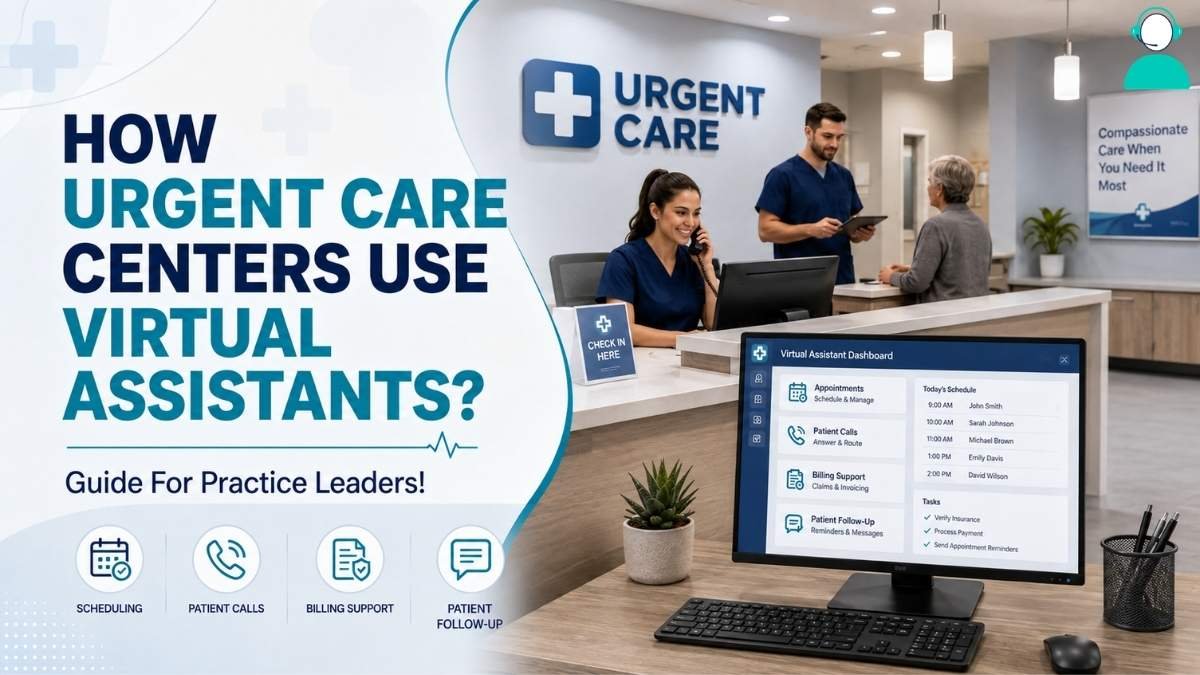
Urgent care front desks handle walk-ins, calls, scheduling, and insurance questions, often with limited staff. As staffing gaps grow, clinics need practical ways to reduce administrative workload without compromising patient-facing care.
Understanding how urgent care centers use virtual assistants offers one practical solution. Remote staff can support scheduling, billing, documentation, and other non-clinical tasks through the systems clinics already use.
The role remains administrative, not clinical. In-house staff handle patient-facing responsibilities, while virtual support manages routine work behind the scenes. This approach can help leaders address staffing gaps while maintaining clear compliance boundaries.
What Role Do Virtual Assistants Play In Urgent Care Operations?
Healthcare virtual assistants are remote staff who handle non-clinical work inside a practice’s own systems, alongside front-desk and billing teams.
A virtual medical assistant is typically a trained remote employee or contractor. They log into the clinic’s scheduling platform, phone system, or electronic health records software. They do not diagnose, triage by phone without protocol, or make treatment decisions.
Their scope is administrative: booking, verifying, documenting, and following up. A receptionist answering calls while checking in a walk-in patient is a common bottleneck. Remote support for calls and scheduling removes one half of that conflict.
Core Administrative And Clinical Support Tasks

In this section, we’ll cover the specific tasks urgent care practices delegate, how responsibilities split from in-house staff, and where boundaries apply.
1. Patient Scheduling and Appointment Booking
Patient scheduling is the most common task assigned to virtual assistants in urgent care. Same-day and walk-in visits create constant calendar movement that a single front-desk employee struggles to track.
A remote assistant can manage the booking calendar, confirm slots by phone or text, and flag conflicts early. Appointment booking support also includes rescheduling and no-show follow-up, which otherwise falls low on a busy staff member’s list.
2. Insurance Verification and Intake Support
Before a patient is seen, someone has to confirm coverage and process intake paperwork. Virtual medical assistants frequently handle eligibility checks by phone or payer portal ahead of the visit.
This reduces the chance a patient arrives for a visit their plan will not cover. Intake support includes pre-filling forms with information collected during scheduling, so front-desk staff spend less time on paperwork.
This task is repetitive and rules-based, making it a reasonable first delegation.
3. Medical Billing and Claims Assistance
Medical billing support is where many practices see the clearest operational return. Virtual assistants can prepare claims, apply standard coding checks, and post payments, but final claim approval typically stays with a credentialed biller.
Delegating claim preparation reduces backlog; keeping approval in-house
preserves accountability for what gets submitted. Practices should define this line in writing before onboarding an assistant.
4. EHR and EMR Documentation Support
Virtual assistants also support EHR/EMR documentation, primarily data entry and chart updates rather than clinical notes.
A remote assistant might transcribe intake information into the chart, update demographic fields, or organize scanned records.
Clinical documentation, including assessments and treatment notes, remains the provider’s responsibility. This distinction protects the patient record and the practice’s liability position.
5. Patient Engagement and Communication
Patient engagement tasks include appointment reminders, follow-up messages, and responses to routine questions about hours or services.
Virtual assistants can manage this communication on a set schedule, reducing missed appointments. Clinical questions should route to clinical staff rather than administrative support. A clear escalation path prevents confusion about who answers what.
HIPAA Compliance and Data Handling Boundaries

Any virtual assistant who accesses patient scheduling data, billing records, or chart information is legally a business associate under HIPAA.
This status requires a signed Business Associate Agreement before access begins, along with documented training and role-based permissions.
According to compliance guidance from Accountable, labeling a task as non-PHI does not remove the obligation. How the data is actually used determines the risk.
| Compliance Tip |
|---|
| A signed BAA with a staffing company does not automatically cover the individual assistant. Confirm whether the agreement covers the organization, the individual, or both before granting system access. |
In-House Staff Vs. Virtual Assistants – Task Comparison
The table below outlines how urgent care tasks commonly split between in-house and virtual assistant roles.
| Task | Typically In-House | Typically Delegated to Virtual Assistant |
| Scheduling and appointment booking | Occasionally | Yes |
| Insurance verification | Sometimes | Yes |
| Medical billing and claims prep | Mixed | Yes, initial prep only |
| EHR/EMR documentation | Final review | Data entry support only |
| Patient triage or clinicaldecisions | Yes | No |
| Patient communication and reminders | Sometimes | Yes |
This split is not fixed. Smaller clinics may delegate more; larger networks with dedicated billing staff may delegate less. What stays consistent is that clinical judgment tasks remain in-house.
How Virtual Assistants Affect Staffing And Cost Structure

Cost reduction from virtual assistant staffing comes from avoided overtime and faster hiring, not from lower hourly rates alone.
Healthcare hiring can take several weeks, with SmartRecruiters reporting a 41-day median time to hire across healthcare organizations. Additional onboarding and ramp-up time may be needed before a new employee works independently.
A virtual assistant placement can be active in days. Cost comparisons should account for total overhead, payroll taxes, benefits, and space, not just the posted hourly rate. Practices facing seasonal surges also gain flexibility, since coverage can scale up temporarily.
Evaluating Workflow Efficiency Gains
Workflow efficiency gains are measurable, not anecdotal. Practices should track specific metrics before and after adoption to know whether the model is working.
Useful indicators include average call wait time, claim turnaround, and the share of intake forms completed before arrival.
A billing review from CREA United notes that outsourced billing specialists apply coding rules consistently. They also monitor claim rejections in real time, shortening the correction cycle.
Practices that skip this step often cannot tell whether delays improved or simply moved elsewhere.
Compliance And Risk Considerations Before Adoption
Before adopting a virtual assistant model, practices need to vet vendors on compliance capability, not just cost or availability. A BAA is only one layer of compliance; oversight, training, and secure system access matter just as much.
Ask whether the agreement covers the staffing company, the individual assistant, or both, and request documentation of training frequency. Liability does not transfer entirely to the vendor. The practice remains accountable for verifying safeguards are in place.
How To Decide If A Virtual Assistant Model Fits Your Practice
The decision comes down to task volume, current staffing gaps, and how much oversight the practice can realistically provide.
Practices with consistent overflow in scheduling or billing, but no budget for another full-time hire, are the clearest fit. Clinics with highly variable or clinically complex intake needs may find the model harder to scale.
Budget matters, but so does management bandwidth: a virtual assistant still needs a defined point of contact. Without capacity for that oversight, the staffing model will struggle regardless of provider.
Frequently Asked Questions (FAQs)
What tasks can a virtual assistant handle in an urgent care setting?
Scheduling, insurance verification, billing preparation, EHR data entry, and patient communication. Clinical decisions and triage remain with in-house medical staff.
Are virtual medical assistants HIPAA compliant?
A virtual assistant operates in a HIPAA-compliant way when a signed BAA and documented training are in place. Role-based access controls must apply before PHI access begins.
Do virtual assistants replace front-desk staff?
Not typically. Most practices use them to absorb overflow work such as phone volume and billing backlog, while in-house staff manage in-person patient interaction.
How much can urgent care centers save by using virtual assistants?
Savings vary, but generally come from avoided overtime and faster hiring timelines rather than a lower hourly rate alone.
Can virtual assistants access electronic health records?
Yes, within limits. Access is typically restricted to data entry and administrative fields, with clinical documentation remaining a licensed staff responsibility.
Final Thoughts
Virtual assistants have become a practical extension of urgent care administrative teams, handling scheduling, billing support, and documentation tasks under HIPAA-compliant protocols.
Clinics that adopt this model typically see relief in front-desk workload and steadier claims processing, provided clinical decision-making stays in-house.
For leaders evaluating how urgent care centers use virtual assistants, the operational question isn’t whether the model can help. It’s which specific tasks make sense to delegate first.