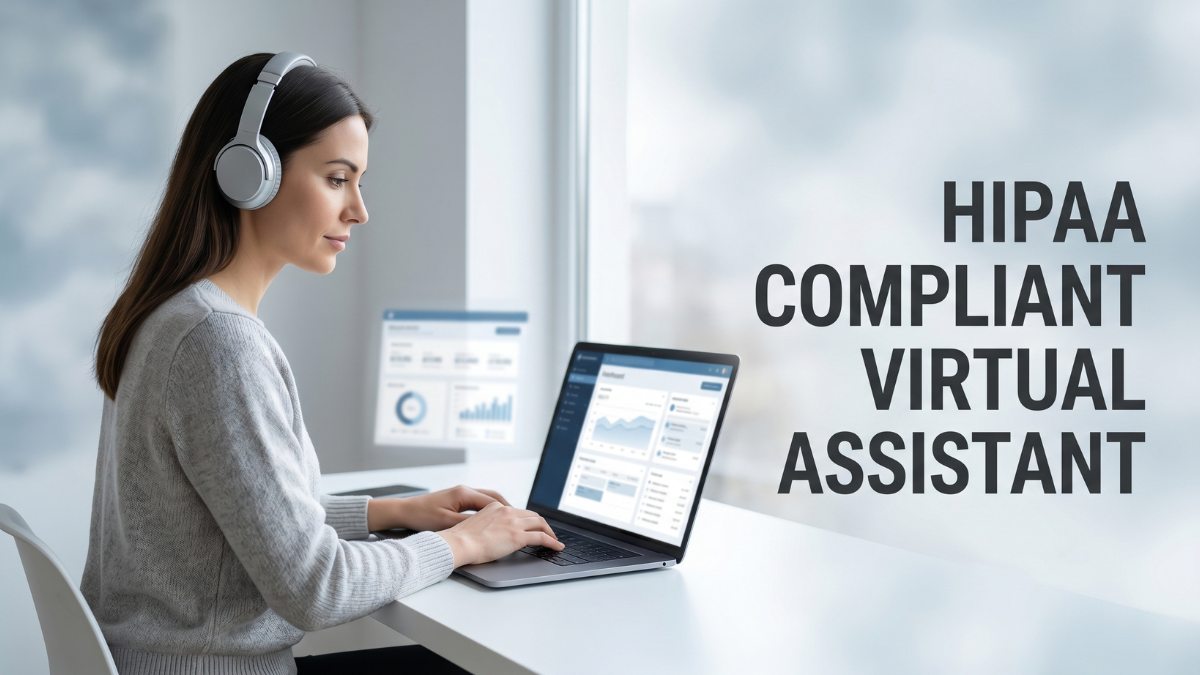
Healthcare clinics increasingly rely on remote support for scheduling, billing, and patient communication. While this reduces internal workload, it raises a key concern: how is patient data protected outside controlled clinical environments?
The HIPAA compliant virtual assistant has become central as staffing shifts toward distributed teams. Yet many clinics still assume any medical VA is automatically compliant, which is rarely the case.
HIPAA compliance depends on safeguards, agreements, and controlled access, not job titles. This article outlines what defines a compliant VA, where risks arise, and what controls clinics need in practice.
What Is A HIPAA Compliant Virtual Assistant?
A HIPAA compliant virtual assistant is a remote professional working under defined safeguards when handling protected health information. The role is defined by HIPAA privacy and security rules, not general administrative skills.
A general VA may handle scheduling or email without PHI exposure. A healthcare virtual assistant may access records, billing systems, or clinical tools. Compliance depends on data access, not job title.
HIPAA applies when a VA can access Protected Health Information (PHI), including patient names, records, and insurance details. Once PHI is involved, safeguards, agreements, and access controls are required.
Common Tasks Handled By HIPAA-Compliant Virtual Assistants
These assistants typically support structured administrative and clinical coordination tasks. The following are the most common responsibilities assigned within compliant workflows:
- Appointment scheduling
- Insurance verification
- Medical billing support
- EHR/EMR updates
- Patient follow-ups and communication
- Administrative documentation
Each task may involve direct or indirect exposure to PHI depending on system access and workflow design.
Here is a detailed breakdown of tasks a medical virtual assistant can do, give it a read as well.
Why HIPAA Compliance Matters For Virtual Assistants
Remote staffing introduces additional points of exposure for patient data, especially when assistants work across personal devices and varied network environments. These factors increase the importance of formal compliance structures in day-to-day operations.
These are the most common reasons clinics prioritize HIPAA compliance when working with virtual assistants:
- Risks of handling sensitive patient data remotely
- Potential HIPAA penalties and legal consequences
- Damage to patient trust and clinic reputation
- Growing cybersecurity threats in healthcare
- Risks associated with unsecured devices and networks
Each factor reflects operational risk rather than theoretical concern. Even small process gaps can lead to unauthorized access or data exposure in remote setups.
HIPAA Rules Every Virtual Assistant Should Understand
HIPAA compliance is built around specific regulatory frameworks that define how patient information must be handled. Virtual assistants working in healthcare environments must operate within these boundaries to reduce risk and maintain controlled access to PHI.
Privacy Rule
The Privacy Rule governs how patient information is used and shared within healthcare operations. It focuses on limiting unnecessary disclosure and ensuring that only authorized personnel can access identifiable health data.
Protecting patient information from unauthorized access is central to this rule. It also restricts sharing PHI beyond what is required for legitimate operational tasks. Any virtual assistant role must be clearly defined to avoid unnecessary exposure to sensitive records.
Security Rule
The Security Rule addresses how electronic protected health information is stored, transmitted, and accessed. It applies directly to virtual assistants working across digital systems and remote environments.
Technical safeguards include secure login systems, encrypted communication channels, and controlled system access. Strong password protocols and restricted device usage are also essential to prevent unauthorized entry into healthcare systems containing PHI.
Breach Notification Rule
This rule defines the required response when patient data is exposed or accessed without authorization. It establishes accountability across all individuals involved in data handling, including remote assistants.
What happens when patient data is exposed? Healthcare providers must investigate, document, and report the breach within defined timelines. Reporting delays can increase regulatory penalties and operational disruption, making timely escalation essential.
Necessary Standard
This principle limits access to only the information required for a specific task. It reduces unnecessary exposure of patient data across administrative workflows.
Giving access only to relevant records ensures assistants are not viewing full patient histories when only partial data is needed. This reduces internal risk and improves control over sensitive information handling.
HIPAA Compliant Virtual Assistant Best Practices

Virtual assistants working in healthcare systems require structured safeguards to handle patient data safely.
Compliance depends on consistent controls built into agreements, access systems, and daily workflows, not individual intent alone. Each practice below addresses common risk points in remote administration.
1. Sign A Business Associate Agreement (BAA)
A Business Associate Agreement is required whenever a virtual assistant handles protected health information on behalf of a healthcare provider. It is not optional and defines legal accountability under HIPAA.
The agreement outlines how patient data must be handled, stored, and protected. It also defines breach responsibilities and limits how information can be used. Who is responsible for what?
The healthcare provider remains accountable for compliance oversight, while the assistant agrees to follow defined safeguards and reporting protocols. Without a signed BAA, HIPAA compliance is incomplete regardless of technical controls.
2. Limit Access To Patient Information
Access control determines how much patient data a virtual assistant can view during routine tasks. Without restrictions, assistants may unintentionally access records beyond their operational need.
Role-based access permissions help ensure assistants only see relevant information tied to assigned tasks. Why is this important?
Reducing exposure limits internal risk and prevents unnecessary handling of sensitive records. Access should always reflect job function, not system availability.
3. Use HIPAA-Compliant Communication Tools
Communication channels are a common weak point in remote healthcare workflows. Standard messaging apps or email services may not provide required security protections for PHI.
Secure messaging and video platforms designed for healthcare use encryption and controlled access. These systems reduce interception risk and unauthorized access.
Consumer-grade tools without compliance safeguards should be avoided when exchanging patient-related information, even for routine coordination tasks.
4. Enable Multi-Factor Authentication (MFA)
Account security becomes critical when assistants log in remotely across different environments. Passwords alone are not sufficient to protect access to healthcare systems.
Multi-factor authentication adds an additional verification step during login. This reduces the risk of unauthorized access even if credentials are compromised.
Note: It is a basic but essential control for protecting systems that store or process PHI.
5. Use Encrypted File Sharing and Email
Patient documents and clinical records require secure transmission methods. Unencrypted file sharing creates exposure points during transfer or storage.
Encrypted file sharing ensures data remains protected while moving between systems or users. Secure email protocols add another layer of protection for sensitive communication.
Files containing PHI should never be shared through unsecured attachments or public storage platforms.
6. Conduct Regular HIPAA Training
Compliance knowledge must be reinforced continuously rather than assumed after onboarding. Virtual assistants often work independently, which increases the importance of structured training.
Regular HIPAA training keeps assistants aware of evolving risks and required handling procedures. What should training focus on?
Secure communication, access control, and breach identification. Reinforcement ensures consistent behavior across all remote interactions involving patient data.
7. Monitor Access Logs and Activity
Visibility into system usage is essential for identifying unusual behavior. Without monitoring, unauthorized access can remain undetected for extended periods.
Access logs track who viewed or modified patient data and when. Why does this matter?
Early detection of irregular activity reduces potential damage and supports faster incident response. Monitoring also reinforces accountability across all users.
8. Develop A Breach Response Plan
Even with strong controls, incidents can still occur. A structured response plan ensures faster containment and reporting.
The plan should define immediate steps for isolating affected systems, identifying exposure scope, and notifying responsible parties. Why is this important?
Faster response reduces regulatory risk and limits operational disruption. Clear escalation paths help teams act decisively during sensitive incidents.
How To Hire HIPAA Compliant Virtual Medical Assistants

Hiring a virtual medical assistant for healthcare operations requires more than evaluating administrative skills. The selection process must assess compliance readiness, security awareness, and familiarity with clinical workflows.
Questions To Ask Before Hiring
The interview stage should focus on how the assistant handles regulated information rather than general productivity skills. HIPAA training experience is a primary requirement because it indicates baseline awareness of privacy rules and data handling expectations.
Familiarity with healthcare workflows is equally important since it determines how well the assistant understands patient-facing processes.
Security practices should also be clearly explained, including how they manage logins, communication, and sensitive document handling during daily tasks.
Certifications Vs. Real Compliance Knowledge
Certifications can confirm exposure to HIPAA concepts, but they do not guarantee operational readiness in real clinical environments. Many candidates complete training modules without applying those principles in active healthcare workflows.
What matters more? Practical understanding of secure communication, controlled access, and incident awareness.
Real compliance knowledge is demonstrated through consistent behavior, not documentation. Experience working with PHI systems is often more reliable than theoretical certification alone.
Red Flags To Watch For
Certain responses during hiring discussions indicate potential compliance risks. Lack of secure systems or reliance on personal tools suggests weak data protection practices that are not suitable for healthcare environments.
Unwillingness to sign Business Associate Agreements is a critical concern because it reflects resistance to regulatory accountability.
Weak password habits or informal communication methods also signal gaps in security discipline that can increase exposure to patient data.
Offshore Vs. U.S.-Based Virtual Assistants
Location does not determine compliance capability, but it does influence legal and operational structure. Offshore teams may introduce additional considerations around data protection laws, access control, and oversight requirements depending on jurisdiction.
Communication clarity and legal enforceability become important factors when working across regions. Healthcare providers must ensure agreements, monitoring practices, and security standards are clearly defined regardless of geographic location.
Verify Their Security Processes
Security verification should be treated as part of the hiring process rather than a post-hire assumption. Device security practices reveal how seriously an assistant treats data protection in daily work environments.
Software usage should be reviewed to ensure only approved, secure platforms are used for healthcare tasks. Data handling workflows must clearly explain how patient information is accessed, stored, and transferred to maintain consistent protection across all operational steps.
Tools Commonly Used By HIPAA-Compliant Virtual Assistants
Virtual assistants working in healthcare environments depend on a controlled set of digital tools designed to protect patient data. These systems are selected based on encryption standards, access control, and compliance readiness rather than convenience or familiarity.
HIPAA-Compliant EHR Systems
Electronic Health Record systems form the core of most clinical workflows and require strict access controls. Secure access to patient records ensures that only authorized users can view or update sensitive medical information during daily operations.
Importance of authorized platforms lies in maintaining compliance consistency across the clinic. When virtual assistants work within approved EHR systems, patient data remains protected under defined security protocols, reducing risk from unauthorized or unverified applications.
Secure Messaging Platforms
Communication between staff and patients must remain protected across all digital channels. Encrypted patient communication prevents interception and ensures that sensitive details remain confidential during transmission.
Internal team collaboration also relies on these platforms to coordinate scheduling, documentation, and follow-ups. Secure messaging tools reduce reliance on unsecured channels and help maintain consistent compliance across distributed teams.
Password Management Tools
Credential management is a critical component of secure remote work. Safely storing credentials reduces the risk of exposure caused by weak or repeated passwords across multiple systems.
Reducing password reuse risks is essential in healthcare environments where multiple applications are accessed daily. Password managers generate and store complex credentials, helping maintain stronger overall account security for virtual assistants.
HIPAA-Compliant Cloud Storage
Document storage and sharing must follow strict security standards when handling patient-related files. Secure document sharing ensures that files remain protected during upload, transfer, and retrieval across systems.
Access control features determine who can view, edit, or download stored information. HIPAA-compliant cloud storage platforms help maintain structured permissions, reducing the risk of unauthorized access to sensitive healthcare data.
Common HIPAA Compliance Mistakes Healthcare Practices Make
Here are the mistakes that repeatedly appear in healthcare setups when virtual assistants are introduced without structured compliance controls. Most issues come from informal workflows rather than lack of intent or awareness.
- Using personal email accounts for patient communication
- Sharing passwords among team members
- Storing PHI on unsecured devices
- Failing to sign BAAs before hiring a VA
- Giving unnecessary access to patient records
- Not training remote staff properly
- Using AI or productivity tools without compliance review
HIPAA Compliance Checklist For Virtual Assistants
Here is the checklist that helps ensure virtual assistants operate within secure and compliant boundaries when handling healthcare-related tasks and patient information. Each item reflects a baseline operational requirement.
- Signed BAA agreement
- HIPAA training completed
- Multi-factor authentication enabled
- Encrypted communication tools in use
- VPN configured for remote work
- Secure password management system
- Device encryption enabled
- Access controls configured properly
- Breach reporting process established
- Audit logging active
Frequently Asked Questions (FAQs)
Can a virtual assistant be HIPAA compliant?
Yes, a virtual assistant can be HIPAA compliant when working under proper safeguards such as BAAs, restricted access, and secure systems. Compliance depends on processes, not job titles or location.
Does HIPAA apply to offshore virtual assistants?
HIPAA applies whenever protected health information is handled, regardless of geography. Offshore assistants must still follow the same safeguards, agreements, and access controls as U.S.-based professionals.
Do HIPAA-compliant virtual assistants need certification?
Certification alone is not required under HIPAA regulations. However, training is essential. Real compliance depends on applied knowledge of secure workflows rather than completion of a certificate program.
What tools are considered HIPAA compliant?
HIPAA-compliant tools include encrypted EHR systems, secure messaging platforms, approved cloud storage, and authentication systems. Each tool must support access control, encryption, and audit tracking for patient data protection.
Can virtual assistants access EHR systems safely?
Yes, virtual assistants can access EHR systems safely when permissions are role-based and security controls are enforced. Multi-factor authentication and audit logging help maintain secure and traceable access.
Is Zoom HIPAA compliant for healthcare use?
Zoom can be HIPAA compliant only when a healthcare-specific configuration is used along with a signed Business Associate Agreement. Standard accounts without these settings are not suitable for PHI handling.
Final Thoughts
HIPAA compliance depends on continuous oversight rather than one-time setup decisions within healthcare operations. Each process must remain aligned with current security expectations and regulatory standards.
Security practices carry equal weight to hiring decisions because they define how patient data is handled daily. Weak controls can undermine even well-trained staff.
Training, tools, and policies must function together as a connected system. When aligned correctly, they reduce operational risk and improve workflow reliability.
A compliant virtual assistant supports efficiency while maintaining patient trust, provided that structured safeguards remain consistently enforced across all tasks.